UI/UX Case Study: Designing Mae’s Cookbook
Product Brief
Role
UI/UX DESIGNER
UX RESEARCHER
Timeline
3 weeks
PRELUDE
Food, as a form of art is unique in many ways. Just like painting appeals to our sense of sight, and music appeals to our sense of hearing, food, when created at its best, appeals to all five senses at once. Textures, flavors, colors, and aromas of ingredients used greatly influences the overall taste of a meal.” For some, cooking is an highly enjoyable task while for some others like myself, it’s a tiring chore. However, when we think of cooking as an art practice or project than a chore it becomes a much more enjoyable process. To eliminate one of the factors that contribute to us seeing cooking as a chore, I designed a mobile application that walks you through the process of cooking a meal successfully and provides an opportunity for users to share their creative work of art.
INTRODUCTION
The creation of Mae’s cookbook is fueled by the desire to provide a database of recipes where users can have a directory of their favorite meals. To make the UX more extended, it allows users to search for its recipes by the supplies they have, preferred cuisine types, occasion and more The application layout is structured around intuitive navigation, high readability and eye catching background. However, it is enough to give users a product that solves their problem but much more better when you give users product that solves their problems according to their specific needs
HOW DOES MAE’S COOKBOOK HELP?
Food, as a form of art is unique in many ways. Just like painting appeals to our sense of sight, and music appeals to our sense of hearing, food, when created at its best, appeals to all five senses at once. Textures, flavors, colors, and aromas of ingredients used greatly influences the overall taste of a meal.” For some, cooking is an highly enjoyable task while for some others like myself, it’s a tiring chore. However, when we think of cooking as an art practice or project than a chore it becomes a much more enjoyable process. To eliminate one of the factors that contribute to us seeing cooking as a chore, I designed a mobile application that walks you through the process of cooking a meal successfully and provides an opportunity for users to share their creative work of art.
USERS: MAPPING PRIORITIES AND NEEDS
Initially, I conducted interviews asked participants, "What if you had someone to walk you through the process of cooking your desired meal every time?" and "What benefits will a food recipe app bring to you?".
Through this, I arrived at the following:
- For people who have little or no understanding about cooking, providing recipes at their fingertips is a way to alleviate difficulty and ensure they cook their desired meal successfully
- People want to enjoy cooking because for some, it serves as a form of relaxation
- People are anxious and worried when they find recipes for their desired meal but the ingredients does not meet dietary requirements
- People feel nourished when they are part of a community that provides insights into how to nourish the body of others
FROM HERE I REFRAMED MY CHALLENGE INTO THIS QUESTION
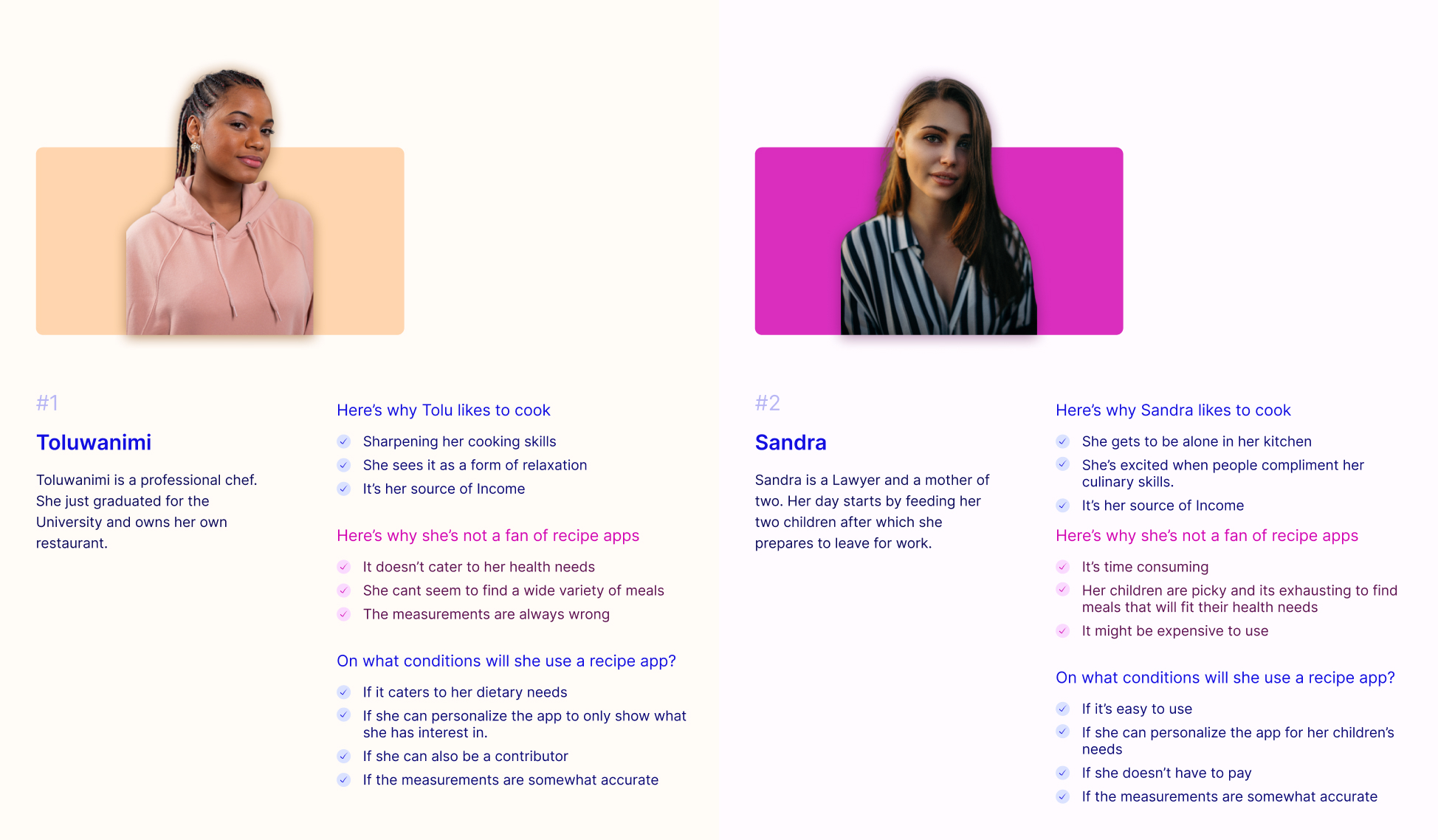
“How can I provide the required information and walk Sandra, our faux persona, through the process of cooking her desired meal and help her feel confident about her journey as a chef while simultaneously enhancing her mental state”
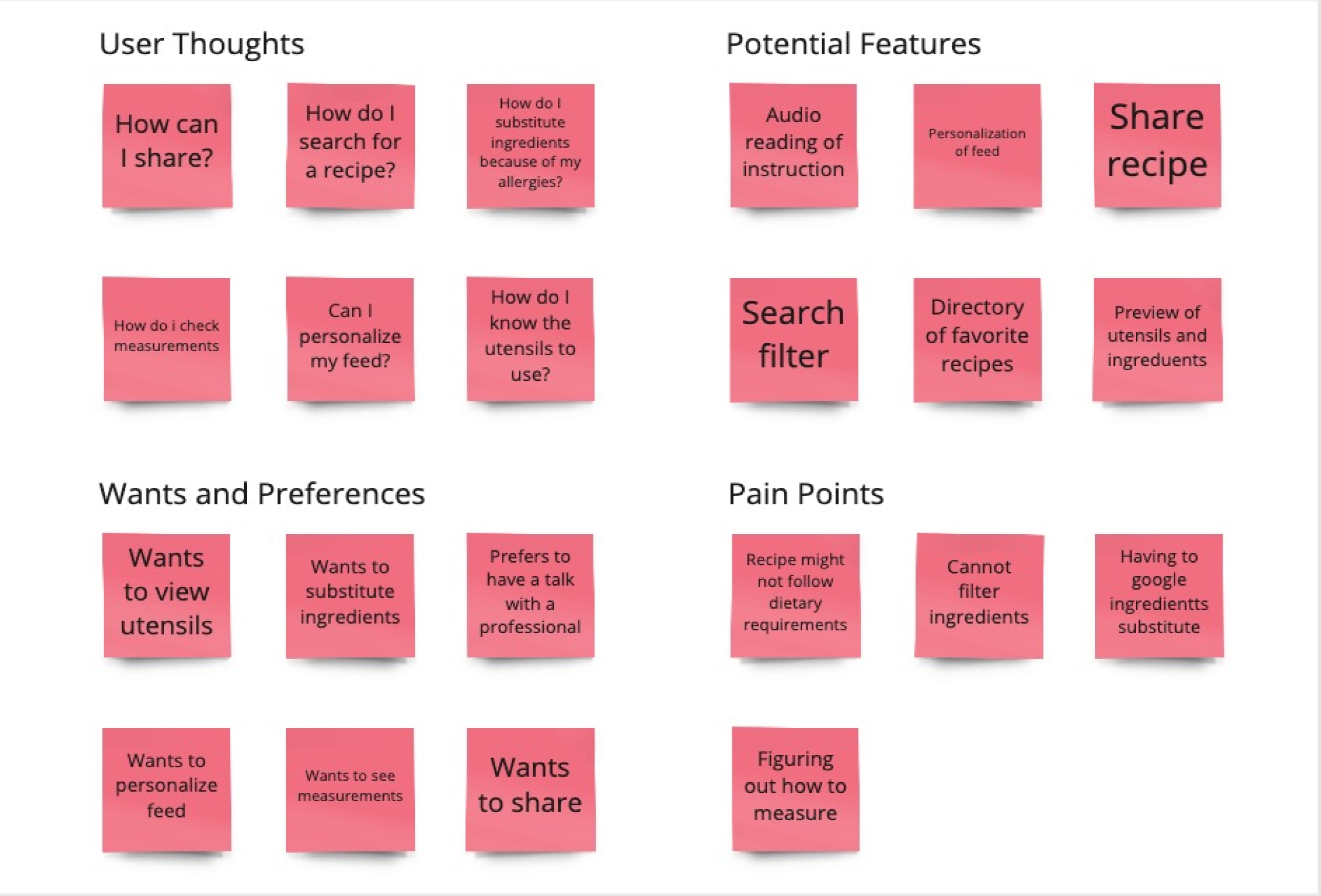
Understanding the users, their desires, and preferences is a step closer to designing important screens, crafting the perfect delivery process, and solving the outlined process within the app. I was able to categorize insights that stood out to focus on them and turn them into design opportunities with an Affinity Diagram.
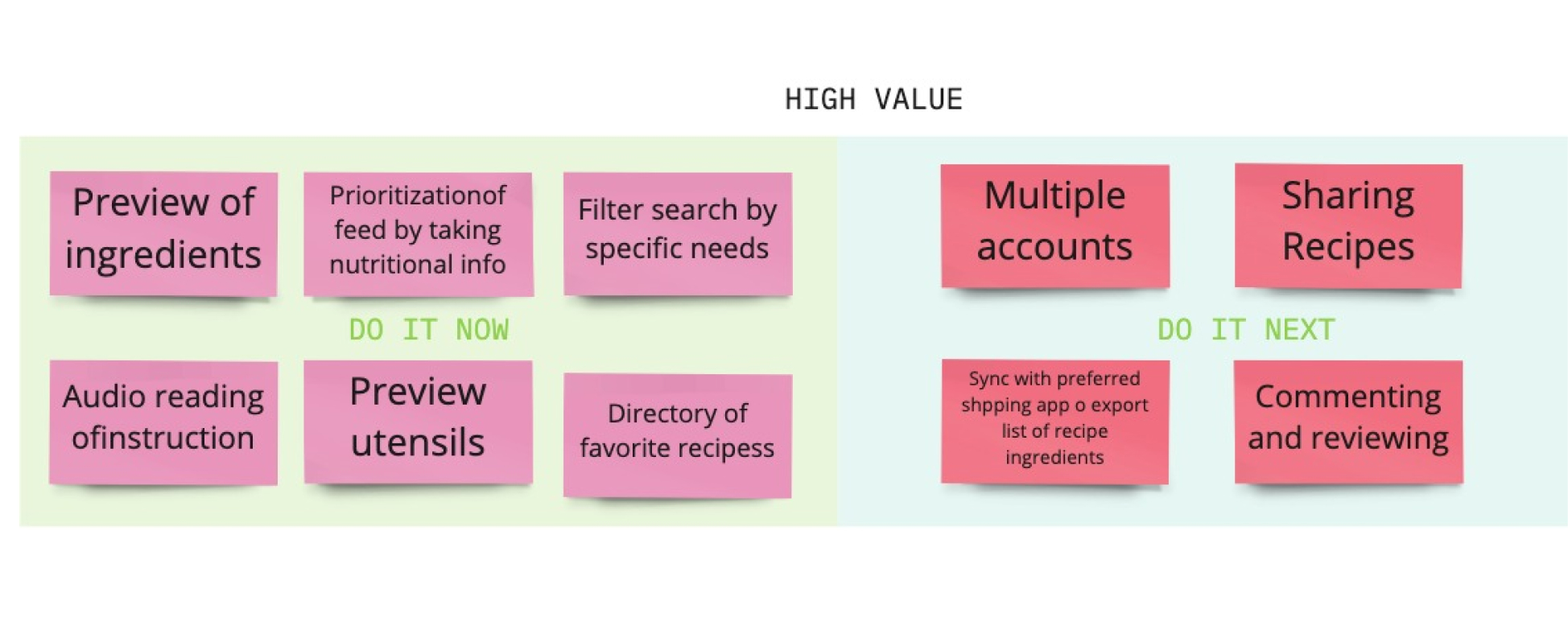
From the diagram above, I grouped “Potential features” which are crucial to users into two; high and medium value.
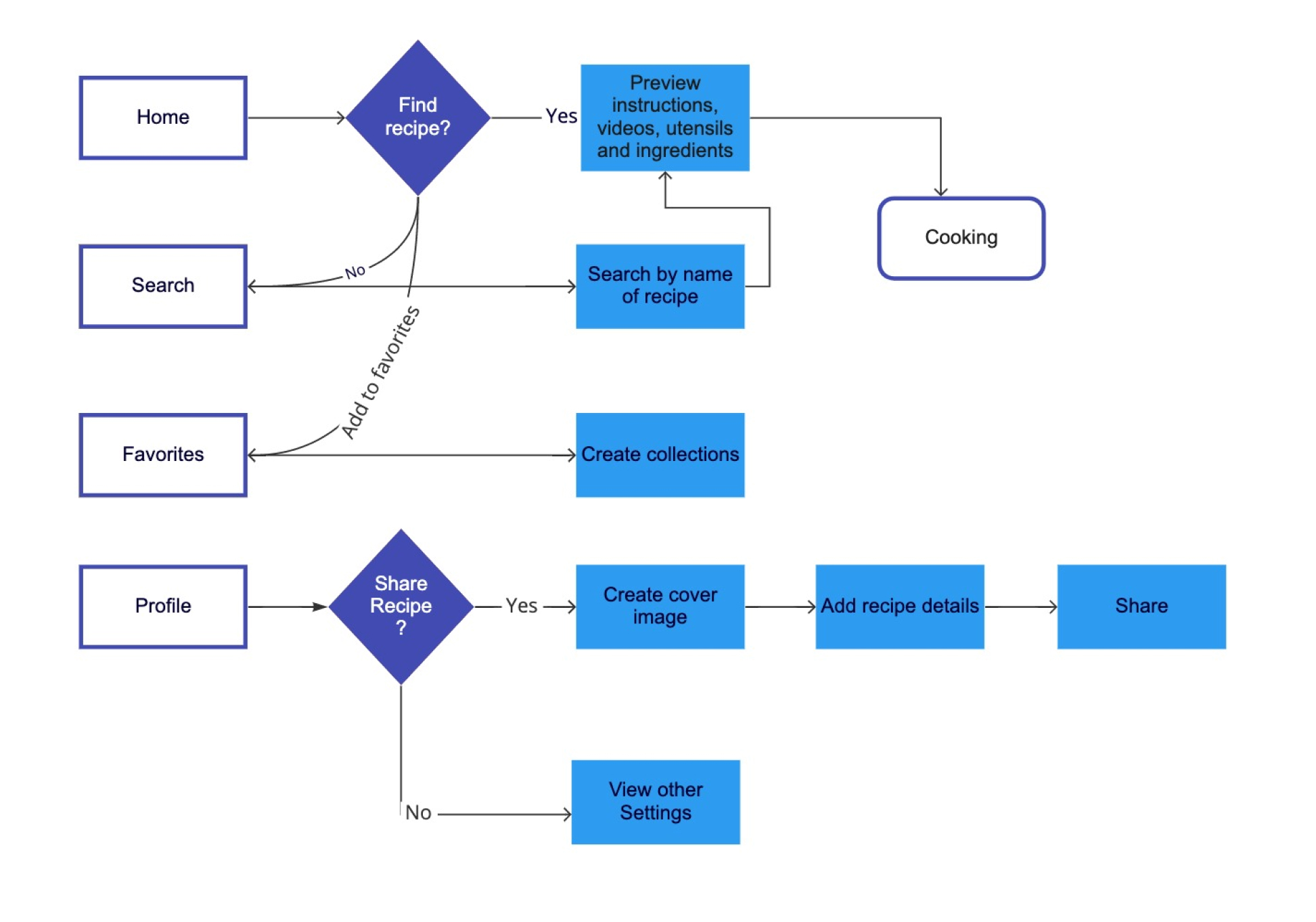
USER FLOW MAPPING
The next step was to sketch out the flow of the main features.
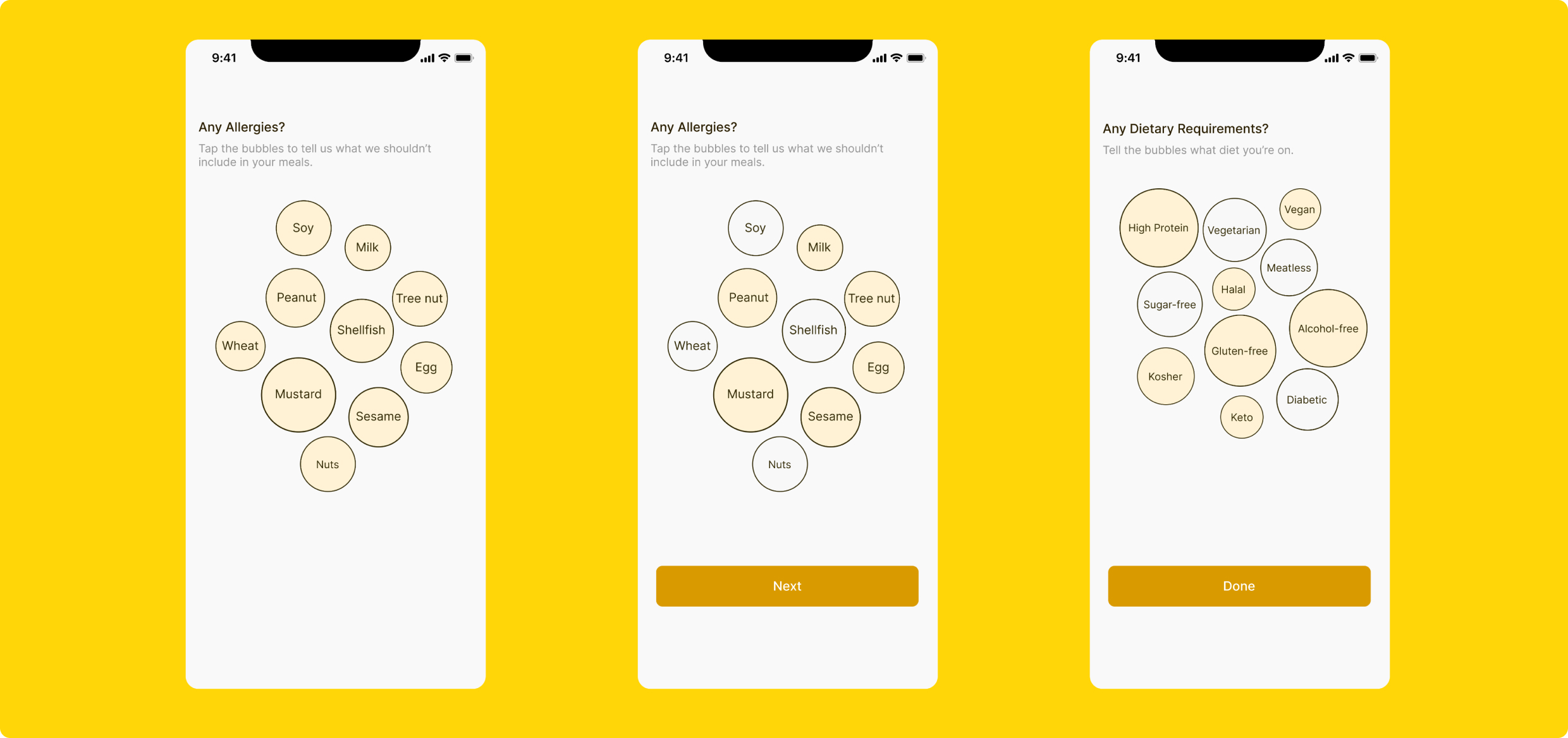
CAN I KNOW WHAT WORKS FOR YOU?
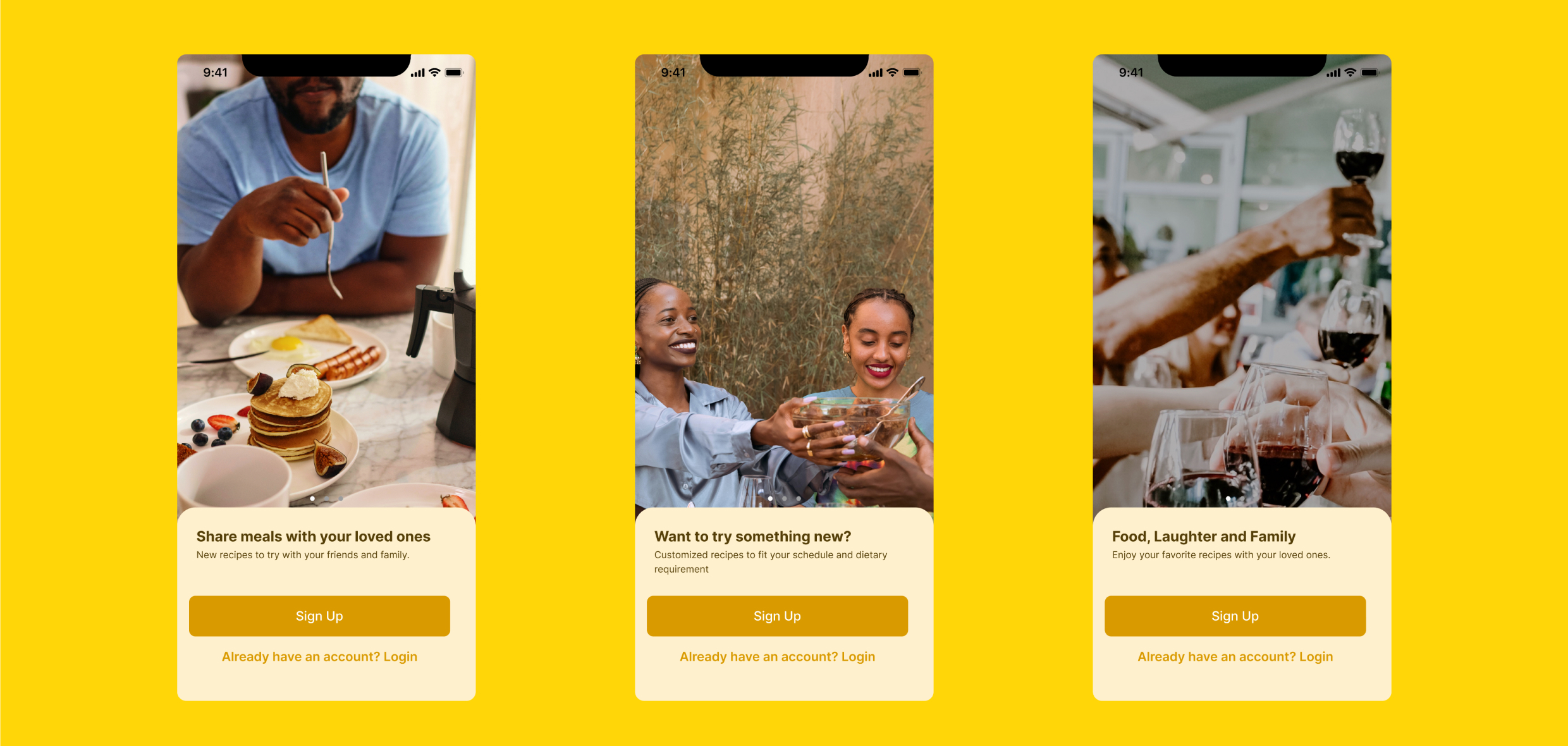
To be able to customize the app experience for each user, I prioritized onboarding as a must-have feature. I looked at the onboarding process of comparators like Tasty and decided that I wanted Sandra, or any user, to feel excited and relaxed about cooking their meal. Having the users getting g anxious and asking questions about their desired meal fitting into their health needs wasn’t an option. A two-part questionnaire screen was designed to understand the specific dietary requirement which in turn, would be used to determine and customize their experience.
VIEW PERSONALIZED RECIPES
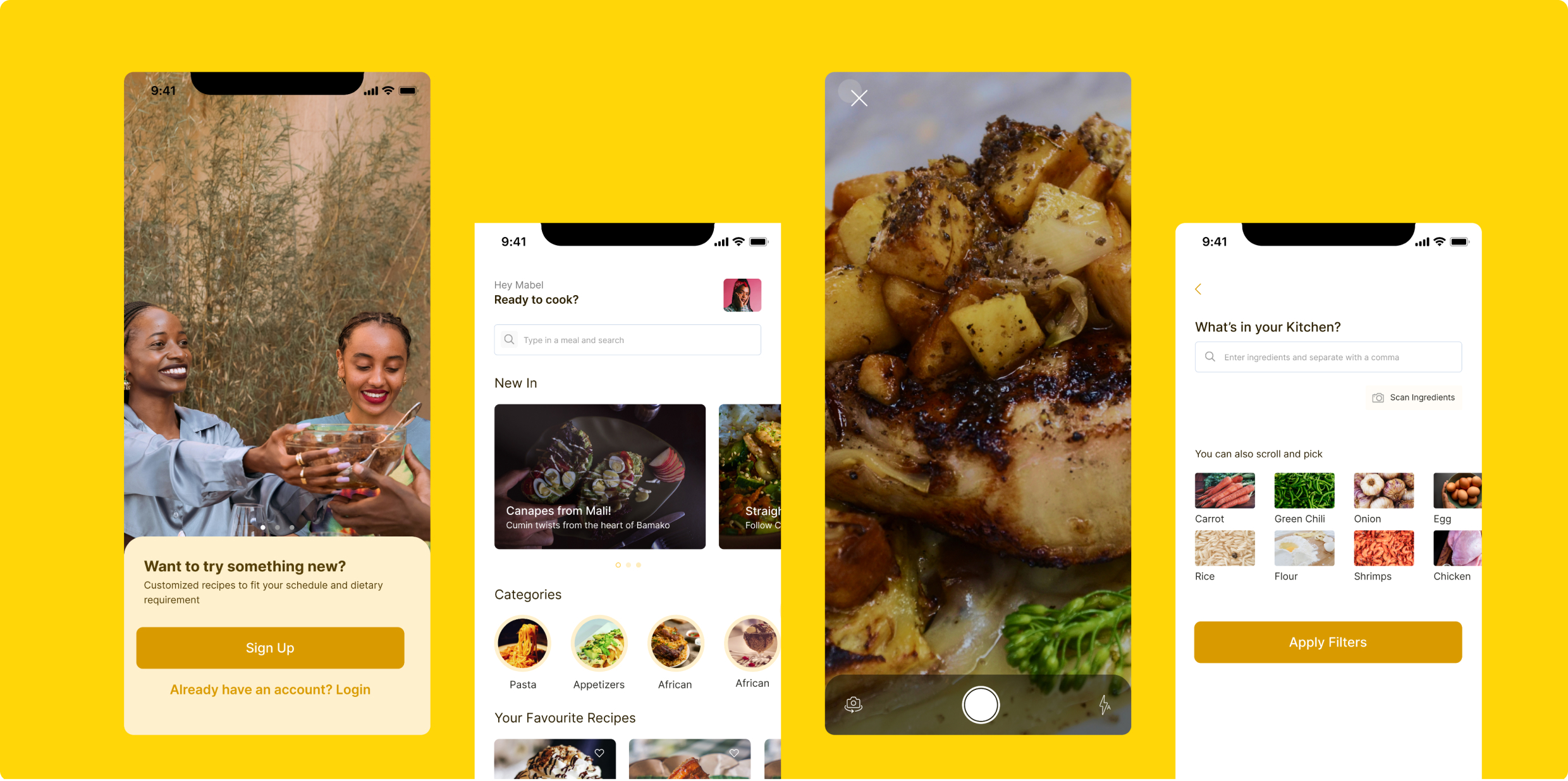
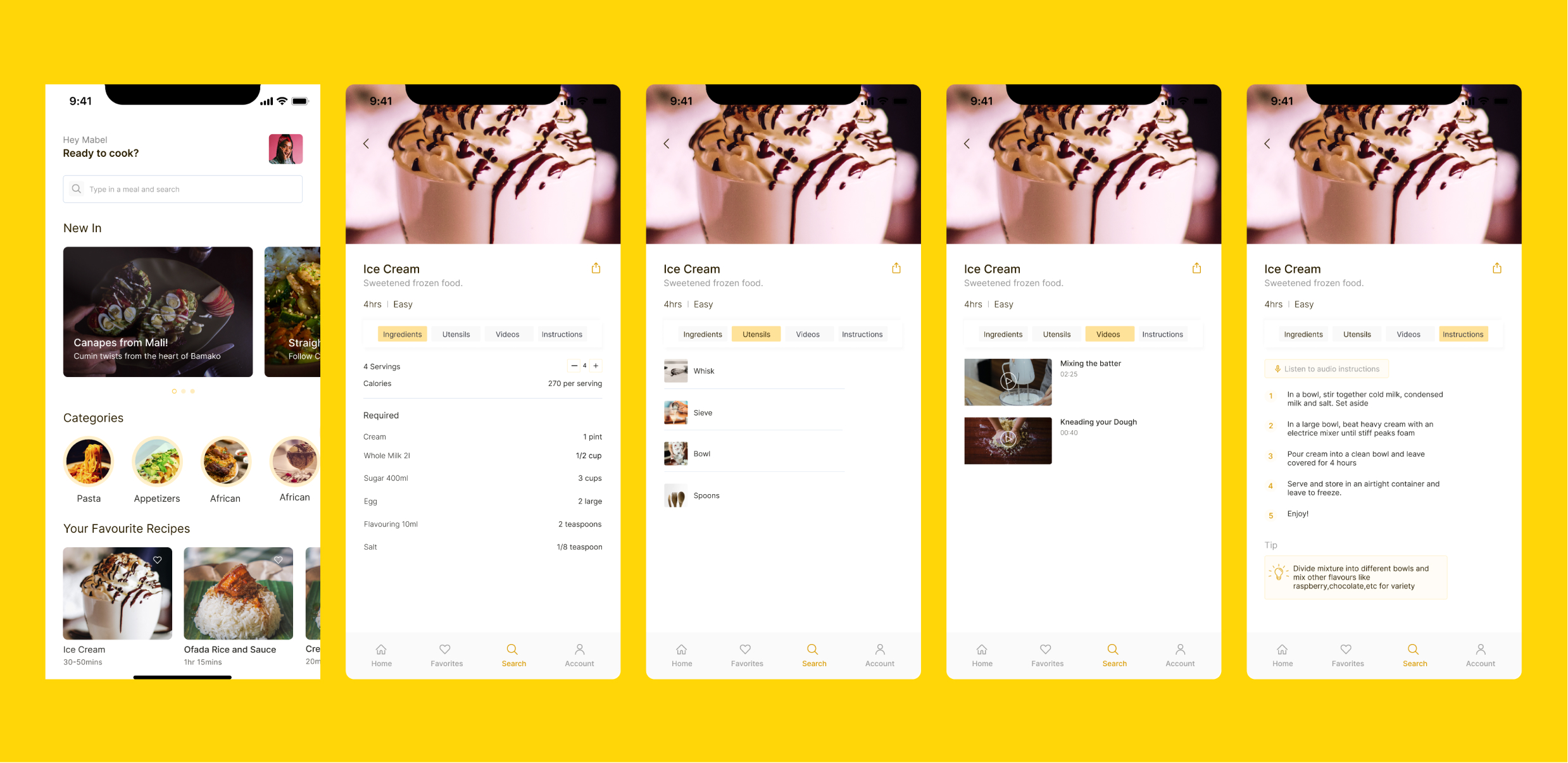
Where users can explore recipes recommended to them based on the information provided during the onboarding process. On this screen, there are numerous options from which a user can choose. It navigates to another screen where the user can view the table of information on the page; Instruction, Utensils, Videos, and Ingredients. Cooking time, difficulty level suggested accompaniments, tips, and measurement of ingredients per serving are provided on the “Ingredients” section. To make the UX more extended, I added an audio reading option to relieve users of the stress of holding a phone and cooking simultaneously. Easy peasy.
Hierarchy of Data Points:
- Primary: Food photo name, ingredients, utensils, measurement, instructions, and videos.
- Secondary: Cooking time, serving, difficulty level, suggested accompaniment, and tips.
WHAT’S IN YOUR KITCHEN?
Based on the insights I gained during the research stage, it wasn’t enough, for users to search for the name of the recipe alone. Other options available to users are Ingredients, Cuisine Type, Diet, Occasion, Season, and Difficulty.
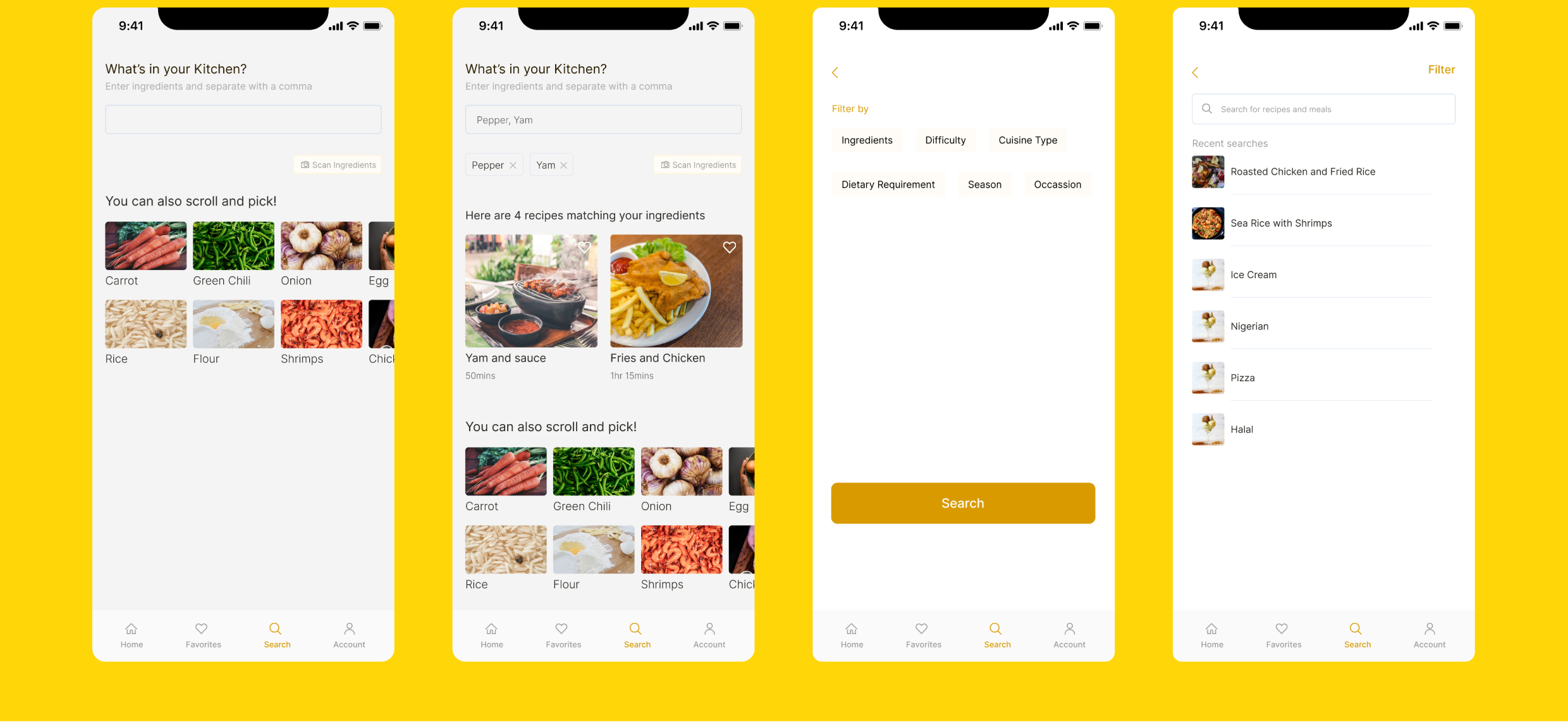
WHAT’S IN YOUR KITCHEN?
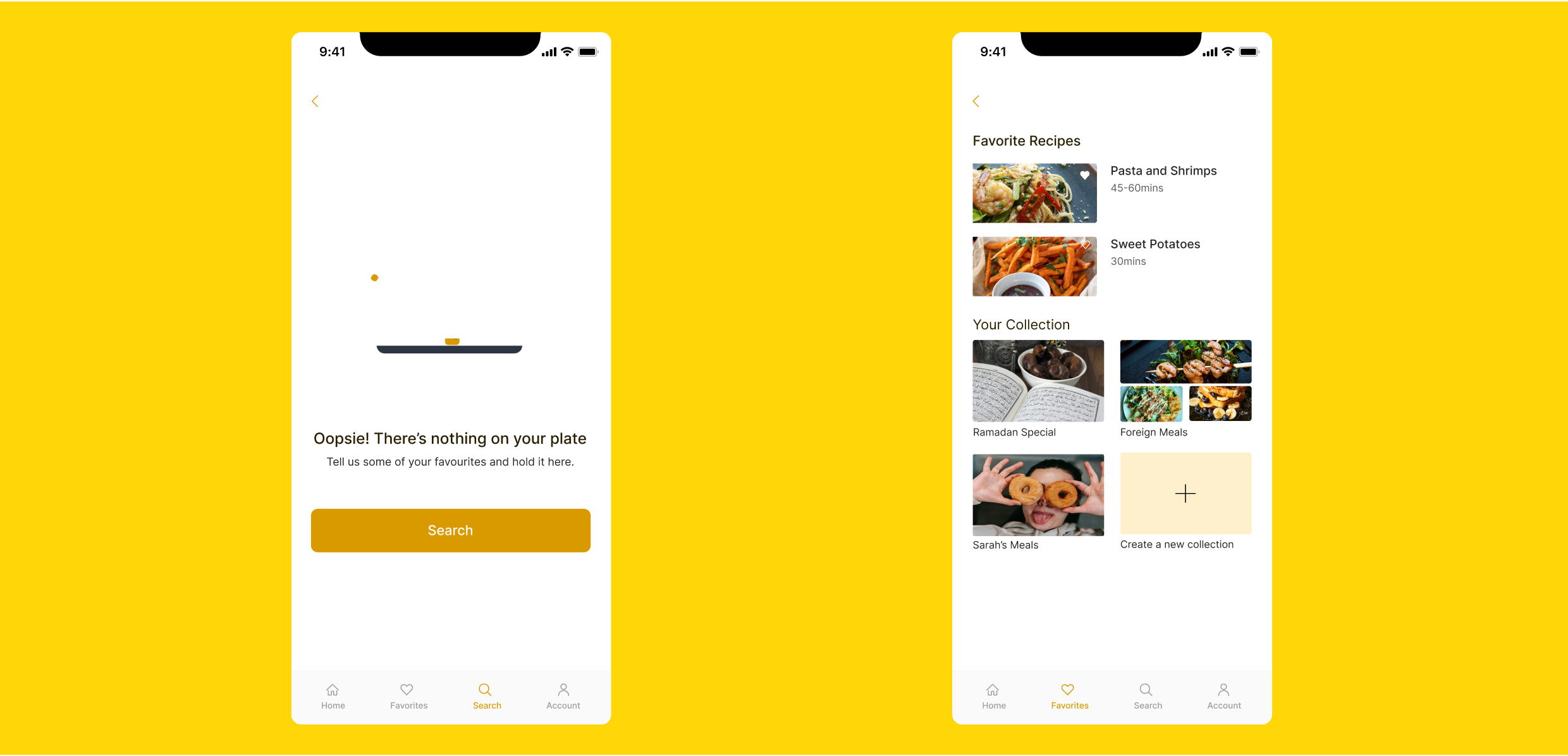
Users can create a directory of their favorite recipes and group them into categories
Profile
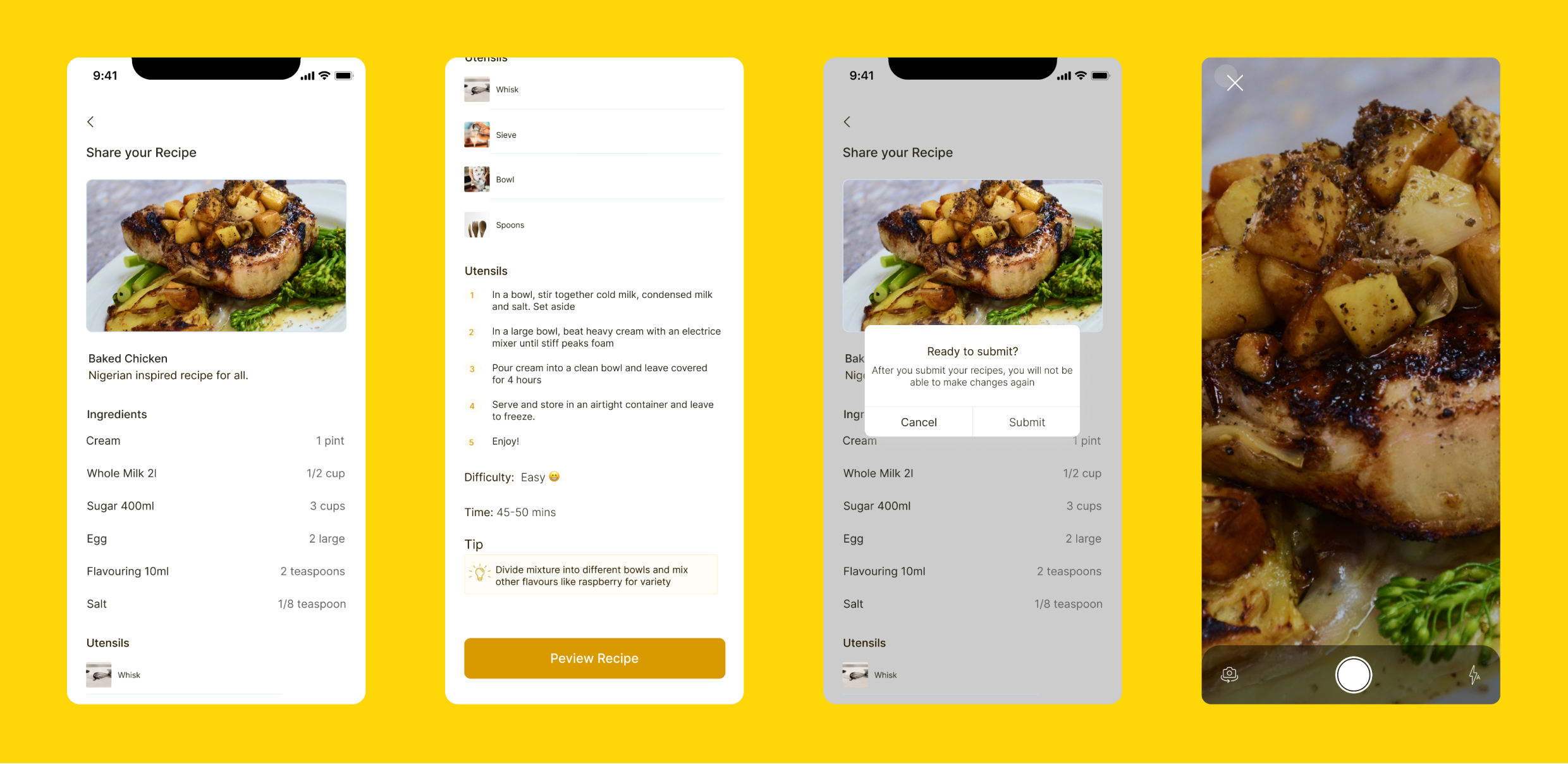
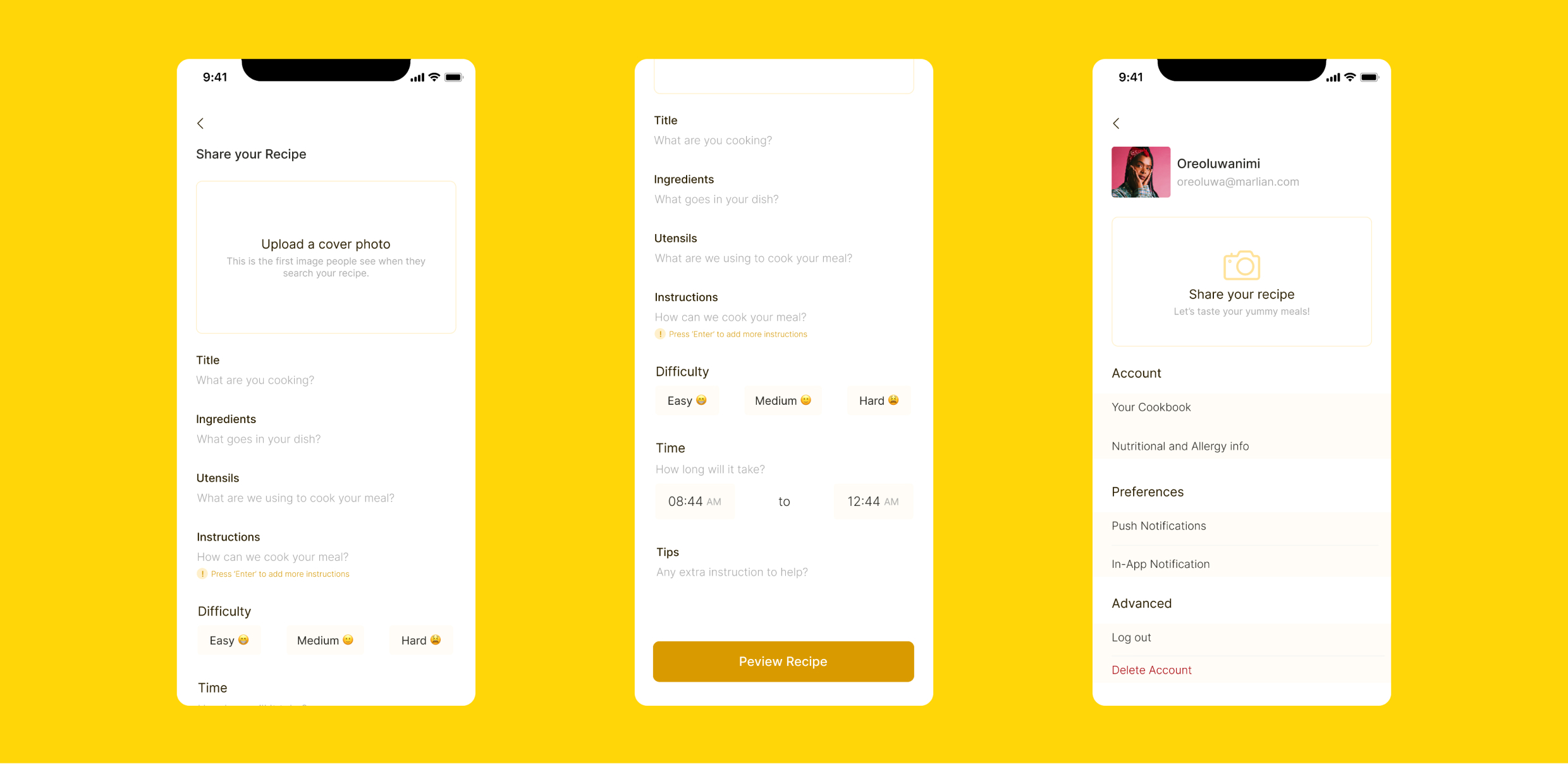
This screen houses all the customized information and preference of uses from the onboarding process. On the top of this screen is a section for users to share their recipes. It navigates to another screen that compiles necessary data about the meal and the cooking process.
SHARE
This feature allows you to be creators. Users can fill in the required information about the meal, add a photo of the meal, and post.